How to Do GMB SEO to Rank Higher in Google Maps
Among the most powerful tools for local visibility is Google Business Profile. With the right GMB SEO strategies, your enterprise will be able to rank high in Google Maps, attract more calls, visits, and leads. This guide covers optimization step by step, ranging from categories and reviews through photos, posts, keywords, and to advanced tactics, which will help you outrank the competition and grow your presence locally.
Understanding GMB SEO (Google Business Profile SEO)
Google My Business SEO is the process of optimizing your Google Business Profile to rank higher on Google Maps and in the Local Pack. Google ranks profiles based on relevance, distance, and prominence. Strong local citations SEO also supports better accuracy and trust. As algorithms and competitors constantly change, regular optimization is required to maintain visibility and attract consistent local leads.

Step-by-Step Guide: How to Do GMB SEO to Rank Higher in Google Maps
Optimizing your Google Business Profile is essential for boosting visibility, attracting local customers, and increasing calls and visits through stronger performance in Google Maps results.
-
Claim & Verify Your Google Business Profile
Claiming your Google Business Profile starts by searching your business on Google and clicking “Own this business?” to begin the setup. You can verify your listing through postcard, phone, email, or video verification, depending on Google's options. Completing full verification is essential, as it increases trust, unlocks all features, and greatly improves your ability to rank higher in local search results.
-
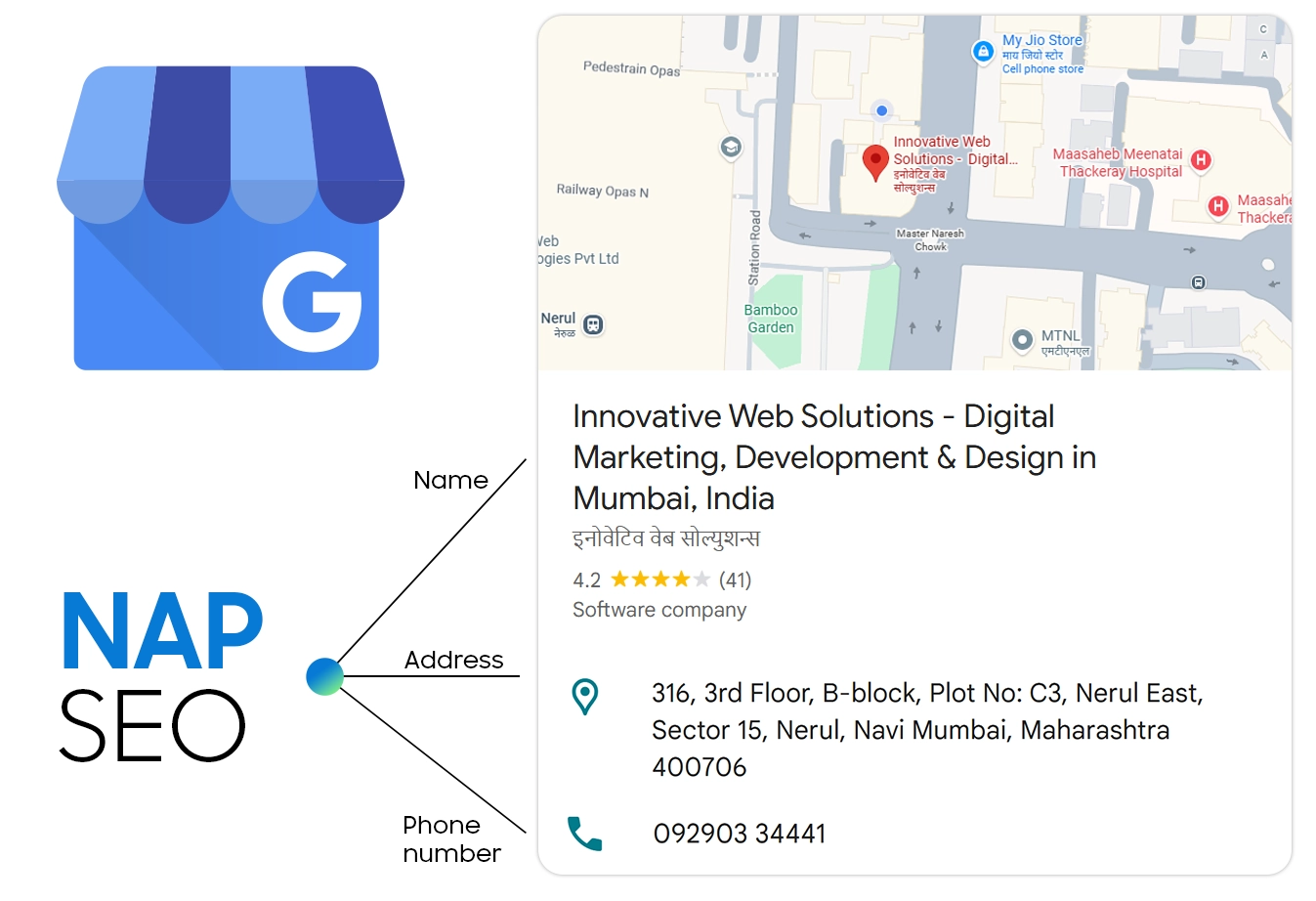
Optimize Your Business Information (NAP + Core Details)
- Ensure your Name, Address, and Phone (NAP) are accurate and match all online listings.
- Set correct business hours and update special hours for holidays or events.
- Select the most relevant primary category to define your core service.
- Add secondary categories to cover additional offerings.
- Write an SEO-rich business description that includes key services and local keywords.
-
Add All Your Products & Services
- Complete profiles rank better, so add all products and services.
- Use local keywords in service listings for better relevance.
- Add clear product titles, descriptions, and pricing to boost visibility.
- Optimized listings attract more clicks and engagement.
-
Upload High-Quality Photos & Videos Regularly
Uploading high-quality photos and videos keeps your Google Business Profile active and attractive. Add key visuals like your logo, cover image, interior, exterior, team, and work portfolio. Use clear, high-resolution images (around 1200x900 px). Posting fresh photos weekly boosts engagement and rankings. Include short, authentic videos under 30 seconds to showcase your services effectively.
-
Use Google Posts Consistently
Using Google Posts consistently keeps your profile active and encourages customer engagement. Share offers, events, updates, and product highlights to showcase what's new. Regular posts send strong engagement signals to Google, helping you rank higher on Google Maps. Add local keywords naturally, and post once or twice per week to maintain freshness and attract more interactions.

-
Collect & Manage Google Reviews
Collecting and managing Google reviews is essential for boosting GMB SEO and trust. Reviews act as strong ranking signals, helping Google recognize reliable businesses. Encourage customers to leave reviews using direct links, and reply to every review to show professionalism. Handle negative feedback politely and focus on solutions. Maintain steady review growth—review velocity—as consistent reviews strengthen credibility and improve long-term visibility.
-
Maintain NAP Consistency Across the Web
NAP consistency is crucial for strong Google My Business SEO. Accurate local citations on trusted sites like Justdial, IndiaMART, Sulekha, and Google Maps help Google verify your business and build authority. Incorrect or mismatched details confuse Google and weaken trust signals, which can lower your Maps rankings. Keeping information uniform boosts visibility.
-
Add Local Keywords to Your Profile
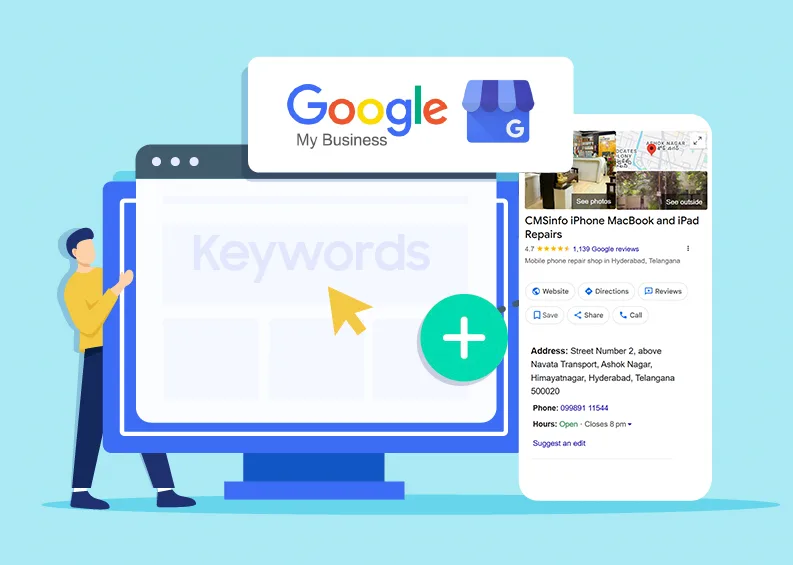
Adding local keywords to your Google Business Profile helps Google understand your services and match you with nearby customers. A strong local SEO strategy ensures your keywords, website content, and citations work together to improve overall local search visibility. Start by researching GMB keywords using Google Autocomplete, “People Also Ask,” and competitor profiles. Place these keywords naturally in your business description, services, Google Posts, and even encourage customers to mention them in reviews. For example, a taxi service might include phrases like “cab service in Mumbai” or “airport taxi Mumbai” to boost local visibility and relevance.
-
Use UTM Tracking to Monitor GMB SEO Performance
Create a UTM tracking URL using Google's Campaign URL Builder and add it to your website link in your GBP profile. UTM tags help you measure clicks, visits, and conversions from Google Maps. Use Google Analytics alongside GBP Insights to track traffic, searches, and customer actions, giving you a clear view of your GMB SEO performance.
-
Enable All Advanced Features
Activate all advanced Google Business Profile features to improve engagement and visibility. Turn on Messaging to let customers contact you instantly, and enable Booking if you offer appointments. Use the FAQs (Q&A section) to answer common questions and add relevant business attributes like women-led or online appointments. For service-based businesses, set accurate service areas to expand your reach in nearby locations.
Advanced GMB SEO Strategies to Outrank Competitors
Advanced Google My Business SEO strategies help strengthen your local authority and outperform competitors. Earn local backlinks to boost Map visibility, embed your Google Map, and add Local Business schema for better relevance. Skip geo-tagging photos—it's mostly a myth today. Use tools like Localo, BrightLocal, and Surfer Local to analyze competitors and refine your optimization approach.

Common GMB SEO Mistakes to Avoid
Optimizing your Google Business Profile requires avoiding common mistakes that can hurt your visibility. These errors reduce trust, ranking potential, and overall performance on Maps.
- Common GMB SEO Mistakes to Avoid
- Keyword stuffing in the business name or description
- Wrong business categories that mislead Google
- Fake or paid reviews, risking suspension
- Inconsistent NAP across directories
- Not posting or updating regularly
- Incomplete profile with missing details, photos, or services
How Long Does GMB SEO Take?
GMB SEO typically takes 30 to 90 days, depending on industry competition and listing strength. Highly competitive sectors like salons, hotels, and clinics may take longer. Faster results come from consistent reviews, correct categories, strong citations, and regular posts. New listings usually take more time to build trust, while older profiles with a solid history can see improvements sooner—especially with continuous optimization and engagement.
Conclusion
Local citations play a crucial role in strengthening your online presence, enhancing local search visibility, and fostering customer trust in your business. For beginners, the key is to start simple—focus on accurate NAP details and build listings on trusted platforms. With consistent effort, citations can become a powerful foundation for long-term local SEO success.
